POKDARKAMTIBMAS BHAYANGKARA TANGERANG SELATAN
Sinergi Masyarakat dan POLRI untuk menciptakan lingkungan yang aman, tertib, dan kondusif melalui kemitraan yang strategis dan layanan yang prima.
 Update
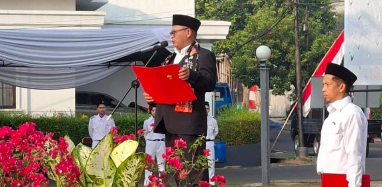
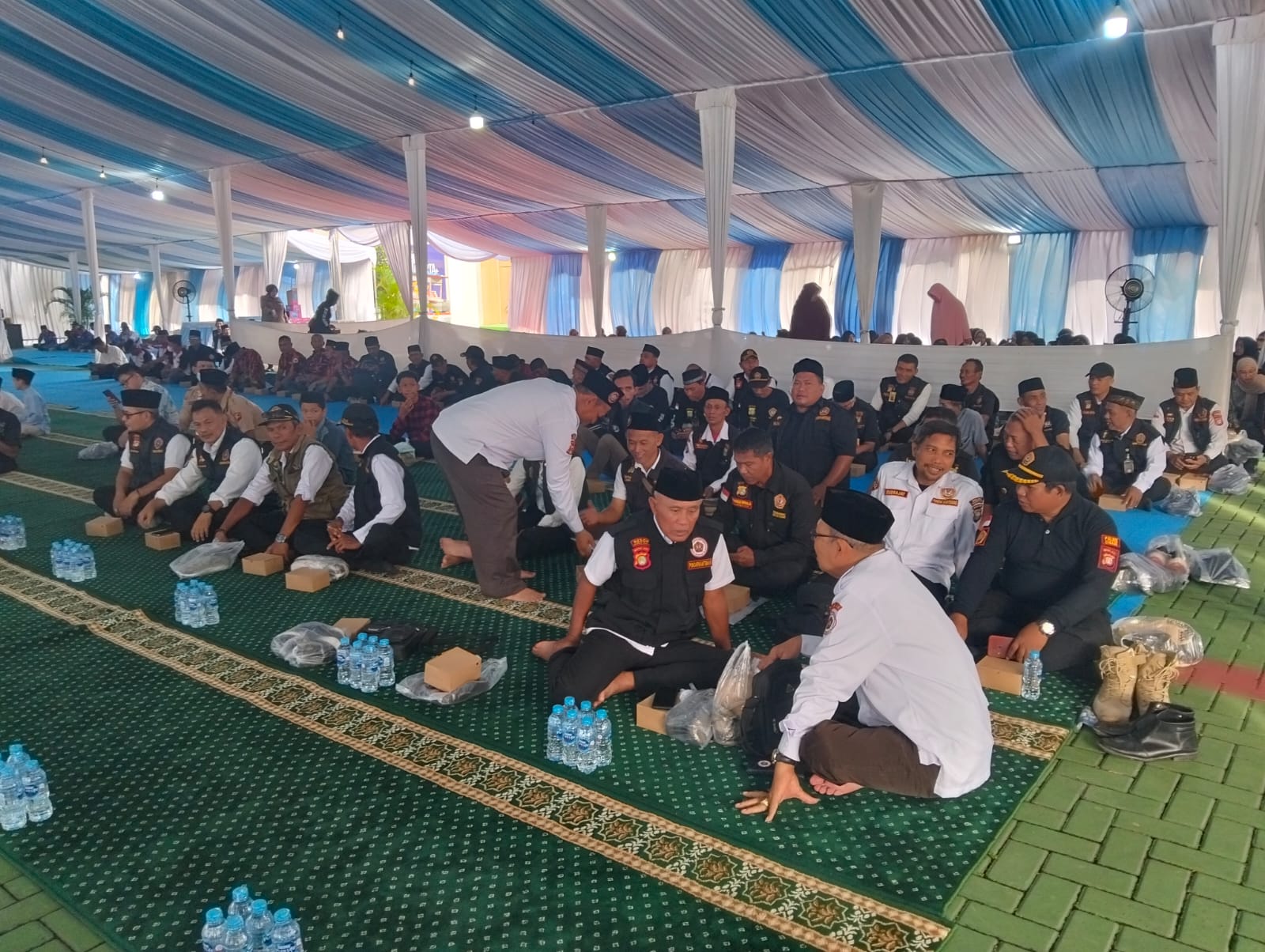
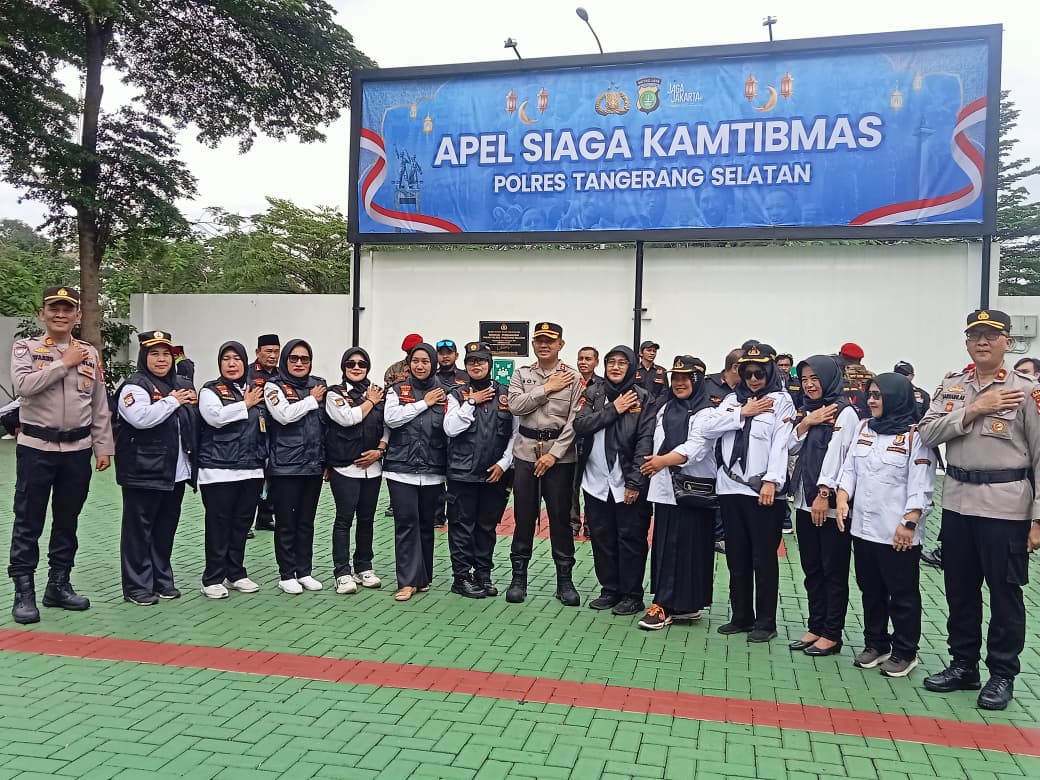
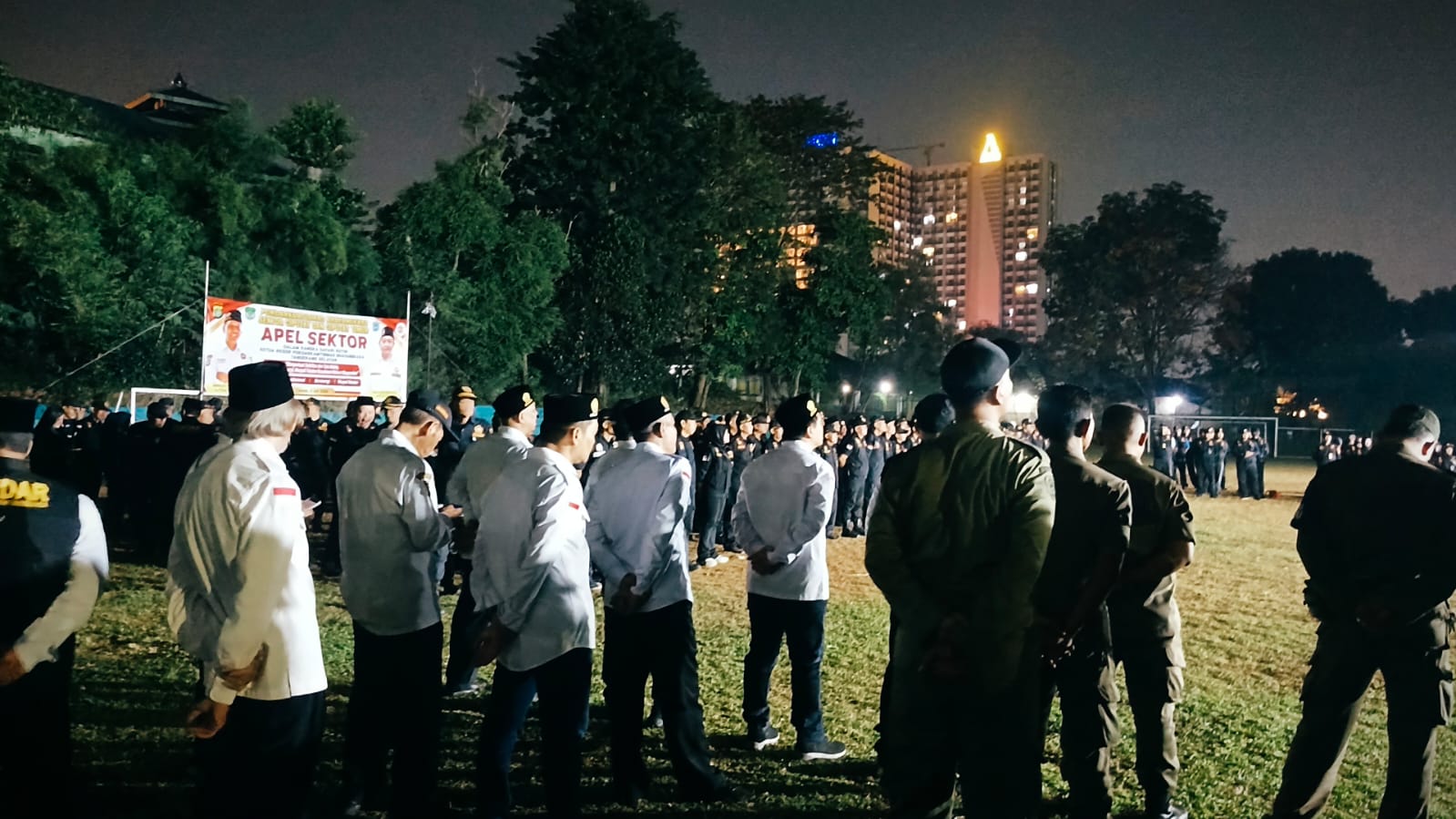
Tangerang Selatan, 17 Agustus 2026 — Ketua POKDAR Kamtibmas Polres Tangerang Selatan, Bapak Mulyadi Widodo (Mbah Mung), bertindak sebagai Pembina Apel dalam rangka memperingati Hari Ulang Tahun (HUT) Kemerdekaan Republik Indonesia ke-81, yang dilaksanakan di Lapangan Perumahan Nerada Estate, Jalan Cendrawasih RW 10, Kelurahan Cipayung, Kecamatan Ciputat, Tangerang Selatan, Senin (17/8/2026).Kegiatan apel berlangsung dengan penuh khidmat dan semangat nasionalisme. Para peserta apel terdiri dari unsur masyarakat, tokoh lingkungan, pengurus serta anggota POKDAR Kamtibmas, dan warga Perumahan Nerada Estate.Dalam amanatnya sebagai Pembina Apel, Mulyadi Widodo mengajak seluruh peserta untuk memaknai peringatan HUT Kemerdekaan RI bukan sekadar sebagai kegiatan seremonial, tetapi sebagai momentum untuk memperkuat persatuan, gotong royong, kepedulian sosial, serta menjaga keamanan dan ketertiban di lingkungan masyarakat.“Semangat kemerdekaan harus kita wujudkan dalam kehidupan sehari-hari dengan menjaga persatuan, saling menghormati, bergotong royong, dan bersama-sama menciptakan lingkungan yang aman, nyaman dan kondusif,” ujar Mulyadi Widodo.Ia juga menegaskan bahwa keberadaan POKDAR Kamtibmas merupakan bagian dari peran serta masyarakat dalam membantu menciptakan situasi kamtibmas yang kondusif melalui kerja sama dan komunikasi yang baik dengan unsur Tiga Pilar serta seluruh elemen masyarakat.Peringatan HUT Kemerdekaan RI ke-81 di lingkungan Nerada Estate tersebut diharapkan semakin mempererat tali silaturahmi antarwarga sekaligus meningkatkan semangat kebangsaan dan kepedulian masyarakat terhadap keamanan lingkungan.Mulyadi Widodo mengajak seluruh anggota POKDAR Kamtibmas dan masyarakat untuk terus menjaga semangat persatuan serta mengisi kemerdekaan dengan kegiatan-kegiatan positif yang memberikan manfaat bagi masyarakat.“Dirgahayu Republik Indonesia ke-81. Terus melaju untuk Indonesia yang semakin maju, aman, dan sejahtera.”Kegiatan apel berlangsung tertib, aman, dan lancar serta diakhiri dengan doa bersama dan foto bersama.
 Update
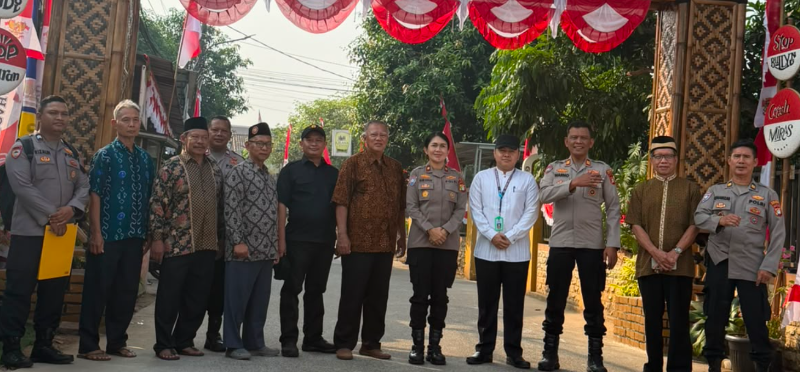
Tangerang Selatan, 14 Agustus 2026 — Ketua Resor POKDAR Kamtibmas Polres Tangerang Selatan, Bapak Mulyadi Widodo (Mbah Mung), mendampingi Kasat Binmas Polres Tangerang Selatan dalam kegiatan penilaian Lomba Gapura Tingkat Polda Metro Jaya pada HUT RI ke 81, yang dilaksanakan di wilayah Kecamatan Legok dan Kecamatan Cisauk pada Jumat, 14 Agustus 2026. Kegiatan penilaian tersebut merupakan bagian dari rangkaian Lomba Gapura Tingkat Polda Metro Jaya yang bertujuan mendorong partisipasi masyarakat dalam menciptakan lingkungan yang aman, tertib, bersih, indah, serta memiliki semangat kebersamaan dan gotong royong. Dalam kegiatan tersebut, Ketua Resor POKDAR Kamtibmas Polres Tangerang Selatan Mulyadi Widodo turut memberikan dukungan kepada jajaran Sat Binmas dalam melakukan peninjauan dan penilaian terhadap sejumlah aspek yang menjadi bagian dari kriteria perlombaan. Kehadiran POKDAR Kamtibmas dalam kegiatan tersebut menjadi wujud sinergi dan kemitraan antara Polri, POKDAR Kamtibmas, pemerintah wilayah, serta masyarakat dalam menciptakan situasi kamtibmas yang kondusif. Mulyadi Widodo menyampaikan bahwa kegiatan lomba gapura bukan semata-mata ajang kompetisi, tetapi juga menjadi sarana untuk meningkatkan kepedulian masyarakat terhadap lingkungan serta memperkuat semangat kebersamaan. “Kami sangat mengapresiasi antusiasme masyarakat dalam mengikuti kegiatan ini. Melalui lomba gapura, diharapkan tumbuh semangat gotong royong, kepedulian terhadap lingkungan, serta kebersamaan masyarakat dalam menjaga keamanan dan ketertiban,” ujar Mulyadi Widodo. Ia juga menegaskan bahwa POKDAR Kamtibmas akan terus mendukung program-program kepolisian yang melibatkan partisipasi aktif masyarakat, khususnya dalam menjaga keamanan dan ketertiban di lingkungan masing-masing. Kegiatan penilaian di wilayah Kecamatan Legok dan Kecamatan Cisauk berlangsung dengan aman, tertib, dan lancar. Kegiatan tersebut sekaligus memperkuat komunikasi serta koordinasi antara unsur kepolisian, POKDAR Kamtibmas, pemerintah kecamatan, dan masyarakat. Melalui kegiatan ini diharapkan semangat gotong royong dan kepedulian masyarakat semakin meningkat sehingga tercipta lingkungan yang aman, nyaman, tertib, bersih, dan kondusif di wilayah hukum Polres Tangerang Selatan.
 Update
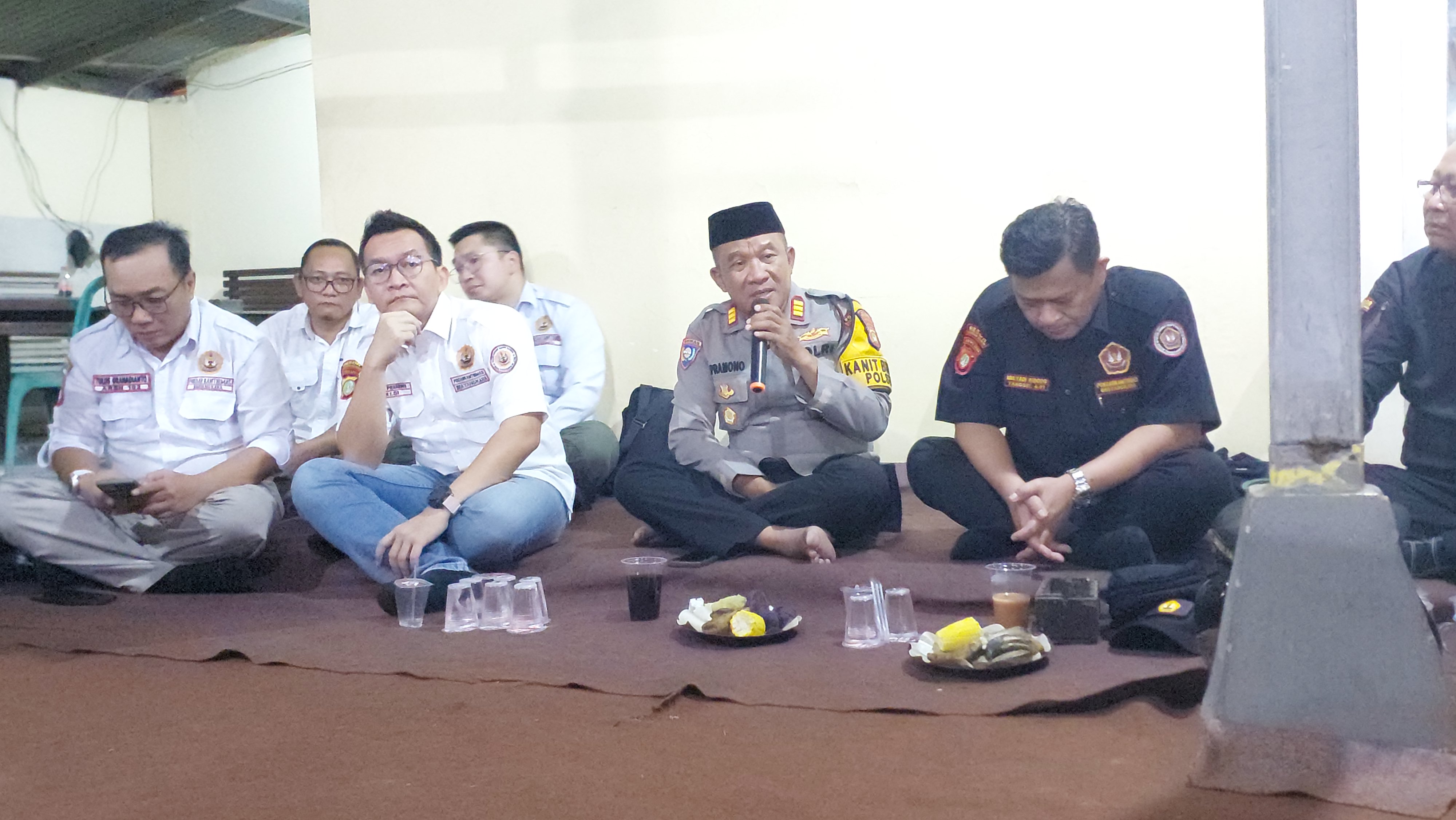
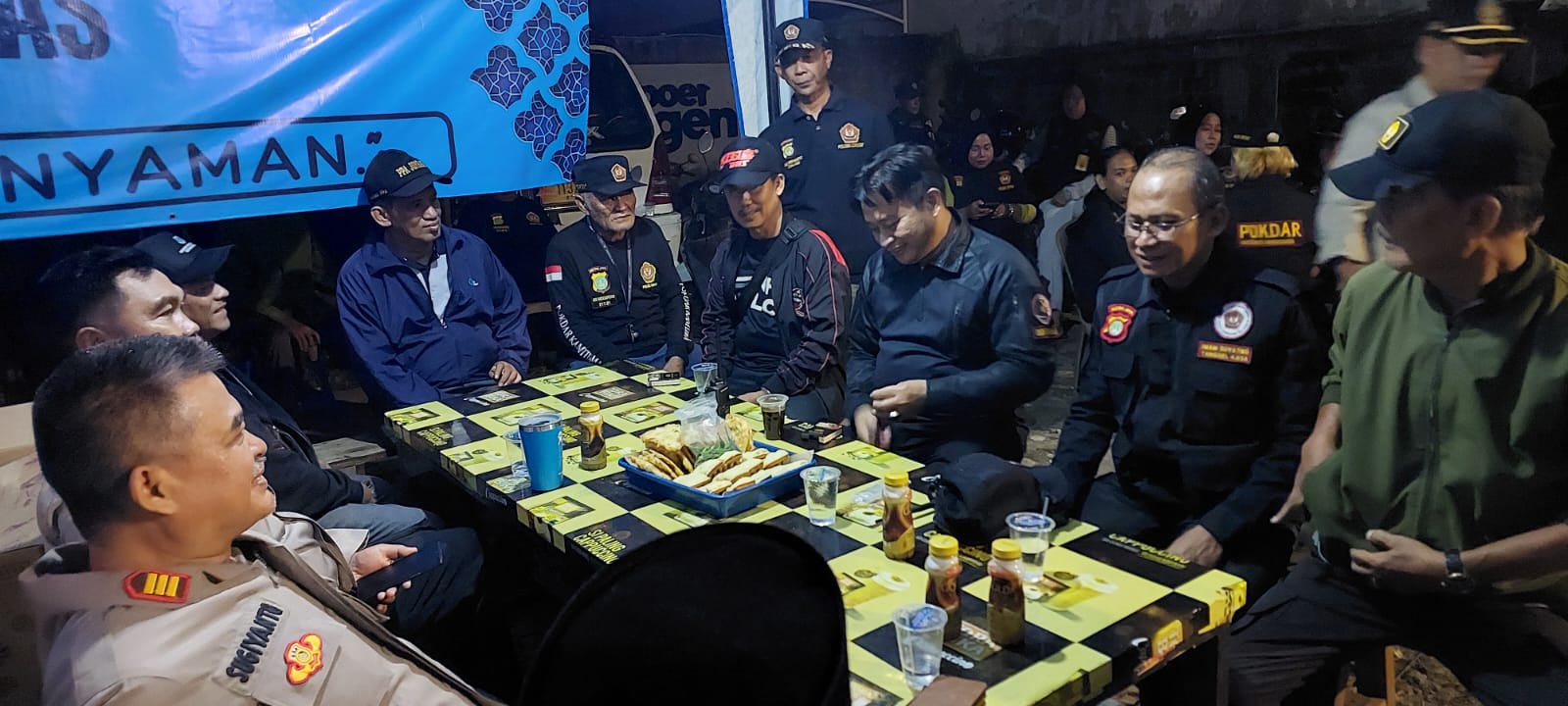
Pondok Aren, 1 Agustus 2026 – Ketua Resor POKDAR Kamtibmas Polres Tangerang Selatan, Bapak Mulyadi Widodo (Mbah Mung), melaksanakan kunjungan kerja dan silaturahmi ke POKDAR Kamtibmas Sektor Pondok Aren. Kegiatan ini bertujuan untuk mempererat sinergi, memperkuat soliditas organisasi, serta meningkatkan koordinasi antara jajaran POKDAR Kamtibmas dengan fungsi pembinaan masyarakat di wilayah Pondok Aren.Kegiatan tersebut dihadiri oleh Kanit Binmas Polsek Pondok Aren beserta jajaran Binmas, pengurus dan anggota POKDAR Kamtibmas Sektor Pondok Aren, serta para tamu undangan.Acara diawali dengan sambutan dari Ketua POKDAR Kamtibmas Sektor Pondok Aren, yang menyampaikan ucapan selamat datang kepada Ketua Resor beserta rombongan serta memaparkan perkembangan kegiatan organisasi di wilayah Pondok Aren.Selanjutnya, Kanit Binmas Polsek Pondok Aren dalam sambutannya menyampaikan apresiasi atas peran aktif POKDAR Kamtibmas sebagai mitra strategis Polri dalam menjaga keamanan dan ketertiban masyarakat. Beliau berharap sinergi yang telah terjalin dapat terus ditingkatkan melalui komunikasi, koordinasi, dan kolaborasi yang baik.Dalam arahannya, Ketua Resor POKDAR Kamtibmas Polres Tangerang Selatan, Bapak Mulyadi Widodo (Mbah Mung), menekankan pentingnya menjaga kekompakan, loyalitas, dan semangat pengabdian seluruh anggota POKDAR Kamtibmas. Beliau mengajak seluruh pengurus dan anggota untuk terus berperan aktif membantu Polri dalam menciptakan situasi kamtibmas yang aman, tertib, dan kondusif di lingkungan masyarakat.Rangkaian sambutan ditutup oleh Bapak Tomi Patria, yang memberikan motivasi kepada seluruh anggota agar senantiasa menjaga soliditas organisasi, meningkatkan kualitas sumber daya anggota, serta terus membangun kerja sama yang harmonis dengan unsur Tiga Pilar dan seluruh elemen masyarakat.Kegiatan kunjungan kerja berlangsung dengan penuh keakraban, semangat kebersamaan, dan suasana kekeluargaan. Diharapkan melalui kegiatan ini, koordinasi dan sinergitas antara POKDAR Kamtibmas Polres Tangerang Selatan, Sektor Pondok Aren, serta jajaran Polsek Pondok Aren semakin kuat dalam mendukung terciptanya keamanan dan ketertiban masyarakat yang kondusif.Kegiatan di akhiri dengan Ramah tamah
Update
Tangerang Selatan, 17 Agustus 2026 — Ketua POKDAR Kamtibmas Polres Tangerang Selatan, Bapak Mulyadi Widodo (Mbah Mung), bertindak sebagai Pembina Apel dalam rangka memperingati Hari Ulang Tahun (HUT) Kemerdekaan Republik Indonesia ke-81, yang dilaksanakan di Lapangan Perumahan Nerada Estate, Jalan Cendrawasih RW 10, Kelurahan Cipayung, Kecamatan Ciputat, Tangerang Selatan, Senin (17/8/2026).Kegiatan apel berlangsung dengan penuh khidmat dan semangat nasionalisme. Para peserta apel terdiri dari unsur masyarakat, tokoh lingkungan, pengurus serta anggota POKDAR Kamtibmas, dan warga Perumahan Nerada Estate.Dalam amanatnya sebagai Pembina Apel, Mulyadi Widodo mengajak seluruh peserta untuk memaknai peringatan HUT Kemerdekaan RI bukan sekadar sebagai kegiatan seremonial, tetapi sebagai momentum untuk memperkuat persatuan, gotong royong, kepedulian sosial, serta menjaga keamanan dan ketertiban di lingkungan masyarakat.“Semangat kemerdekaan harus kita wujudkan dalam kehidupan sehari-hari dengan menjaga persatuan, saling menghormati, bergotong royong, dan bersama-sama menciptakan lingkungan yang aman, nyaman dan kondusif,” ujar Mulyadi Widodo.Ia juga menegaskan bahwa keberadaan POKDAR Kamtibmas merupakan bagian dari peran serta masyarakat dalam membantu menciptakan situasi kamtibmas yang kondusif melalui kerja sama dan komunikasi yang baik dengan unsur Tiga Pilar serta seluruh elemen masyarakat.Peringatan HUT Kemerdekaan RI ke-81 di lingkungan Nerada Estate tersebut diharapkan semakin mempererat tali silaturahmi antarwarga sekaligus meningkatkan semangat kebangsaan dan kepedulian masyarakat terhadap keamanan lingkungan.Mulyadi Widodo mengajak seluruh anggota POKDAR Kamtibmas dan masyarakat untuk terus menjaga semangat persatuan serta mengisi kemerdekaan dengan kegiatan-kegiatan positif yang memberikan manfaat bagi masyarakat.“Dirgahayu Republik Indonesia ke-81. Terus melaju untuk Indonesia yang semakin maju, aman, dan sejahtera.”Kegiatan apel berlangsung tertib, aman, dan lancar serta diakhiri dengan doa bersama dan foto bersama.
Update
Tangerang Selatan, 14 Agustus 2026 — Ketua Resor POKDAR Kamtibmas Polres Tangerang Selatan, Bapak Mulyadi Widodo (Mbah Mung), mendampingi Kasat Binmas Polres Tangerang Selatan dalam kegiatan penilaian Lomba Gapura Tingkat Polda Metro Jaya pada HUT RI ke 81, yang dilaksanakan di wilayah Kecamatan Legok dan Kecamatan Cisauk pada Jumat, 14 Agustus 2026. Kegiatan penilaian tersebut merupakan bagian dari rangkaian Lomba Gapura Tingkat Polda Metro Jaya yang bertujuan mendorong partisipasi masyarakat dalam menciptakan lingkungan yang aman, tertib, bersih, indah, serta memiliki semangat kebersamaan dan gotong royong. Dalam kegiatan tersebut, Ketua Resor POKDAR Kamtibmas Polres Tangerang Selatan Mulyadi Widodo turut memberikan dukungan kepada jajaran Sat Binmas dalam melakukan peninjauan dan penilaian terhadap sejumlah aspek yang menjadi bagian dari kriteria perlombaan. Kehadiran POKDAR Kamtibmas dalam kegiatan tersebut menjadi wujud sinergi dan kemitraan antara Polri, POKDAR Kamtibmas, pemerintah wilayah, serta masyarakat dalam menciptakan situasi kamtibmas yang kondusif. Mulyadi Widodo menyampaikan bahwa kegiatan lomba gapura bukan semata-mata ajang kompetisi, tetapi juga menjadi sarana untuk meningkatkan kepedulian masyarakat terhadap lingkungan serta memperkuat semangat kebersamaan. “Kami sangat mengapresiasi antusiasme masyarakat dalam mengikuti kegiatan ini. Melalui lomba gapura, diharapkan tumbuh semangat gotong royong, kepedulian terhadap lingkungan, serta kebersamaan masyarakat dalam menjaga keamanan dan ketertiban,” ujar Mulyadi Widodo. Ia juga menegaskan bahwa POKDAR Kamtibmas akan terus mendukung program-program kepolisian yang melibatkan partisipasi aktif masyarakat, khususnya dalam menjaga keamanan dan ketertiban di lingkungan masing-masing. Kegiatan penilaian di wilayah Kecamatan Legok dan Kecamatan Cisauk berlangsung dengan aman, tertib, dan lancar. Kegiatan tersebut sekaligus memperkuat komunikasi serta koordinasi antara unsur kepolisian, POKDAR Kamtibmas, pemerintah kecamatan, dan masyarakat. Melalui kegiatan ini diharapkan semangat gotong royong dan kepedulian masyarakat semakin meningkat sehingga tercipta lingkungan yang aman, nyaman, tertib, bersih, dan kondusif di wilayah hukum Polres Tangerang Selatan.
Update
Pondok Aren, 1 Agustus 2026 – Ketua Resor POKDAR Kamtibmas Polres Tangerang Selatan, Bapak Mulyadi Widodo (Mbah Mung), melaksanakan kunjungan kerja dan silaturahmi ke POKDAR Kamtibmas Sektor Pondok Aren. Kegiatan ini bertujuan untuk mempererat sinergi, memperkuat soliditas organisasi, serta meningkatkan koordinasi antara jajaran POKDAR Kamtibmas dengan fungsi pembinaan masyarakat di wilayah Pondok Aren.Kegiatan tersebut dihadiri oleh Kanit Binmas Polsek Pondok Aren beserta jajaran Binmas, pengurus dan anggota POKDAR Kamtibmas Sektor Pondok Aren, serta para tamu undangan.Acara diawali dengan sambutan dari Ketua POKDAR Kamtibmas Sektor Pondok Aren, yang menyampaikan ucapan selamat datang kepada Ketua Resor beserta rombongan serta memaparkan perkembangan kegiatan organisasi di wilayah Pondok Aren.Selanjutnya, Kanit Binmas Polsek Pondok Aren dalam sambutannya menyampaikan apresiasi atas peran aktif POKDAR Kamtibmas sebagai mitra strategis Polri dalam menjaga keamanan dan ketertiban masyarakat. Beliau berharap sinergi yang telah terjalin dapat terus ditingkatkan melalui komunikasi, koordinasi, dan kolaborasi yang baik.Dalam arahannya, Ketua Resor POKDAR Kamtibmas Polres Tangerang Selatan, Bapak Mulyadi Widodo (Mbah Mung), menekankan pentingnya menjaga kekompakan, loyalitas, dan semangat pengabdian seluruh anggota POKDAR Kamtibmas. Beliau mengajak seluruh pengurus dan anggota untuk terus berperan aktif membantu Polri dalam menciptakan situasi kamtibmas yang aman, tertib, dan kondusif di lingkungan masyarakat.Rangkaian sambutan ditutup oleh Bapak Tomi Patria, yang memberikan motivasi kepada seluruh anggota agar senantiasa menjaga soliditas organisasi, meningkatkan kualitas sumber daya anggota, serta terus membangun kerja sama yang harmonis dengan unsur Tiga Pilar dan seluruh elemen masyarakat.Kegiatan kunjungan kerja berlangsung dengan penuh keakraban, semangat kebersamaan, dan suasana kekeluargaan. Diharapkan melalui kegiatan ini, koordinasi dan sinergitas antara POKDAR Kamtibmas Polres Tangerang Selatan, Sektor Pondok Aren, serta jajaran Polsek Pondok Aren semakin kuat dalam mendukung terciptanya keamanan dan ketertiban masyarakat yang kondusif.Kegiatan di akhiri dengan Ramah tamah
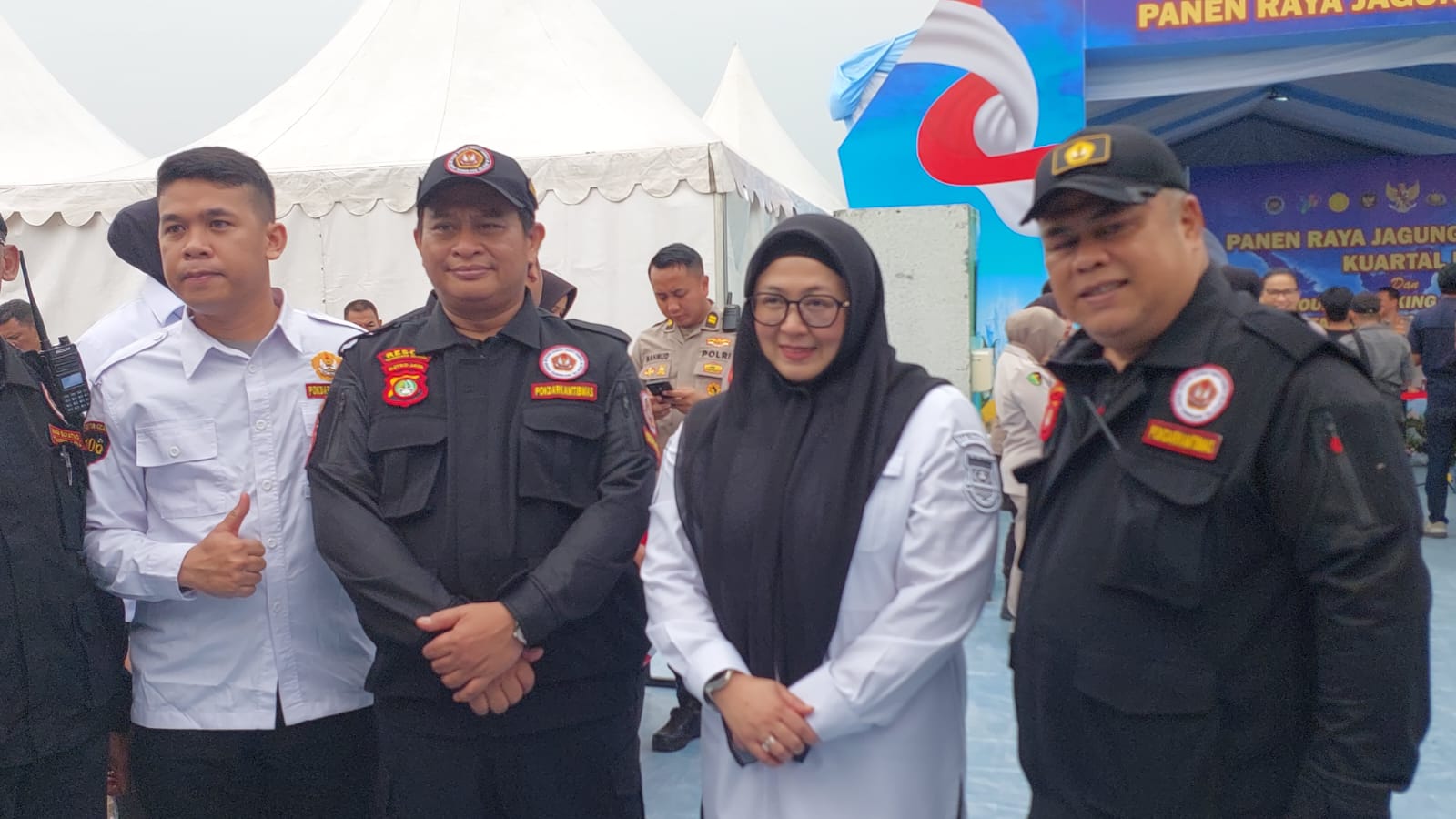
Ikuti dan pantau agenda nyata kami di wilayah Tangerang Selatan
| Hari & Tanggal | Agenda Kegiatan | Waktu | Lokasi | Kontak (CP) |
|---|---|---|---|---|
|
|
RAKER POKDAR |
08:00
|
HOTEL MERLYN
|
PAK IMAM (0856-7855-043
|
|
|
Penyuluhan Kamtibmas dan Pencegahan Kenakalan Remaja |
19:30 - 21:30
|
Polsek Pondok Aren
|
Bpk. Budi
|
|
|
Kegiatan Bakti Sosial dan Pengobatan Gratis untuk Warga |
09:00 - Selesai
|
Lapangan Kec. Serpong
|
Ibu Sari
|
|
|
Rapat Koordinasi Bulananr |
08:00 - 12:00
|
Aula Mapolres Tangerang Selatan
|
Bpk. Andi
|
|
|
Buka puasa Bersama |
17.00 - selesai
|
cisauk Rumah kayu
|
086782872192
|
Nama: Organisasi ini dinamakan POKDARKAMTIBMAS BHAYANGKARA (Kelompok Sadar Keamanan dan Ketertiban Masyarakat)
Tempat Kedudukan: Berkedudukan di wilayah hukum Negara Kesatuan Republik Indonesia.
Waktu: Untuk tingkat Nasional, didirikan pada 17 November 2021 untuk jangka waktu yang tidak terbatas.
Azas & Landasan: Berazaskan PANCASILA dan Undang-Undang Dasar 1945.
Sifat: Independen, Kekeluargaan, dan sosial Masyarakat, serta sebagai Mitra POLRI and Pemerintah.
Sesuai dengan wilayah hukum Polres Kota Tangerang Selatan:
1) Resor Pamulang
2) Resor Serpong
3) Resor Ciputat timur
4) Resor Pondok Aren
5) Resorta cisauk
6) Resorta Kelapa dua
Periode Tahun 2022 - 2027
Ketua
WAKIL KETUA 1
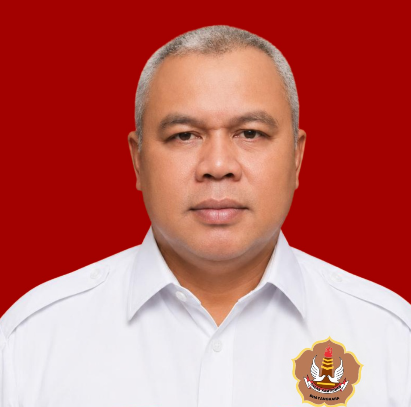
WAKIL KETUA 2
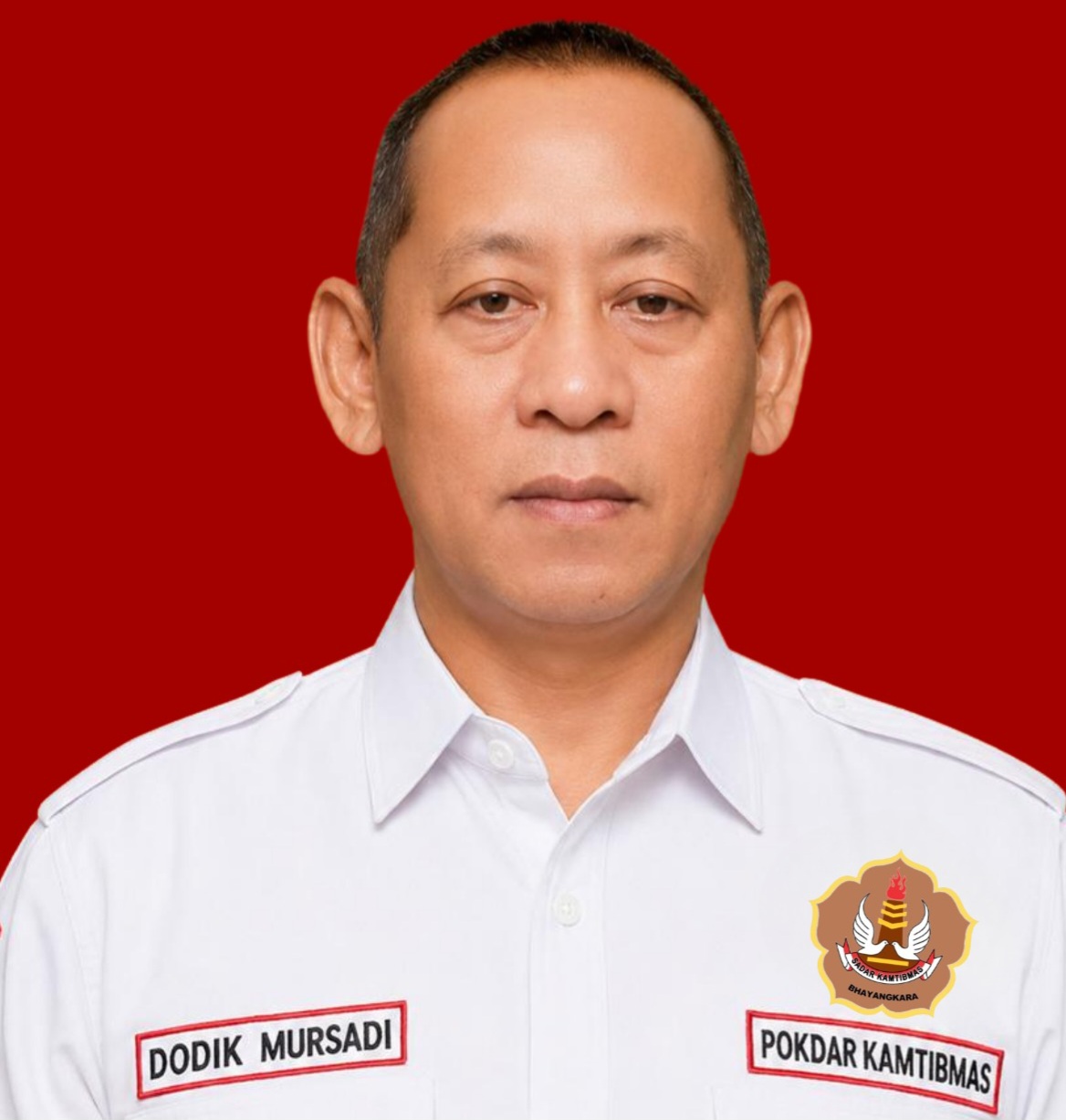
DODIK MURSADI
Sekretaris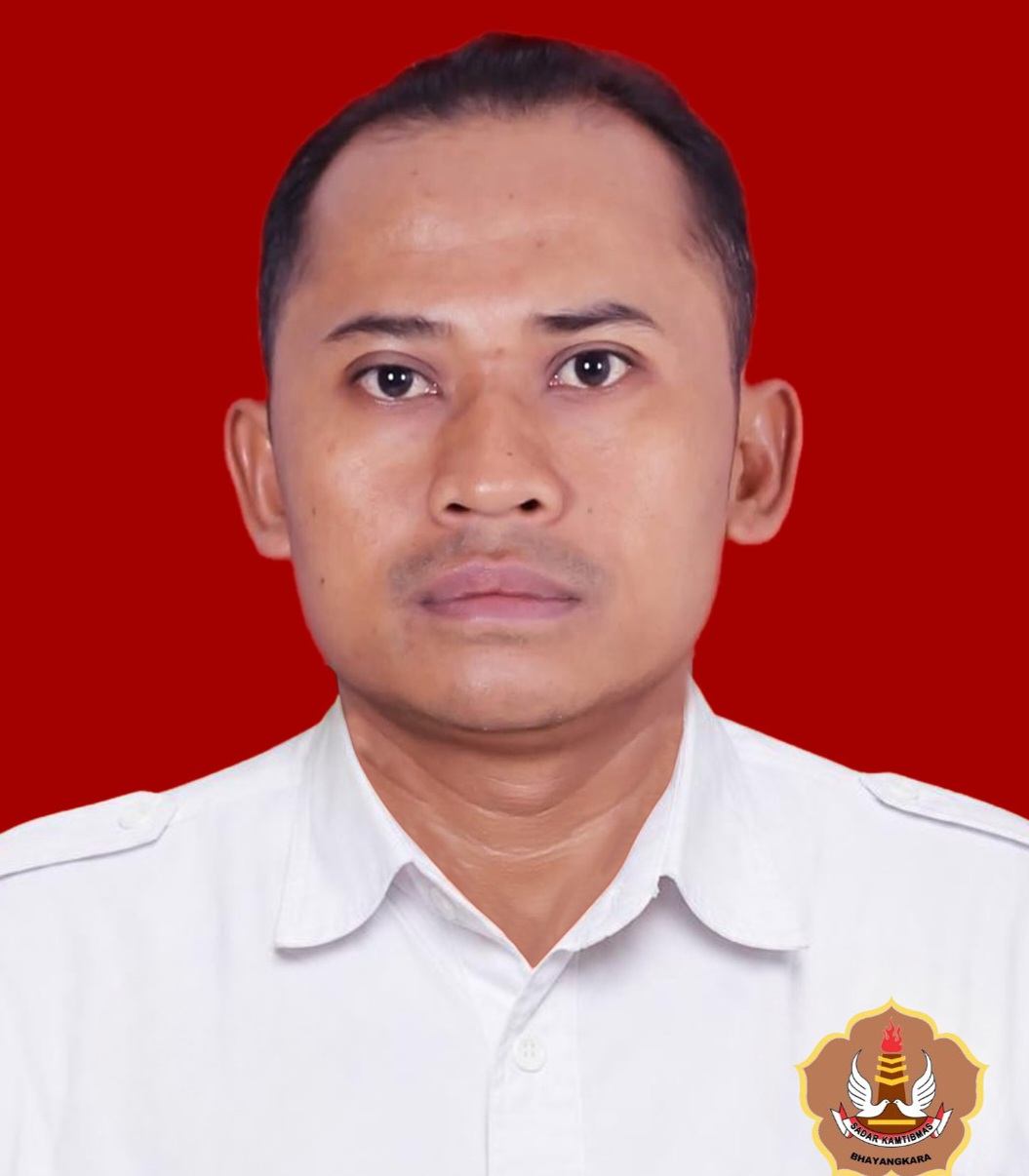
IMAM SUYATNO
Wakil Sekretaris 1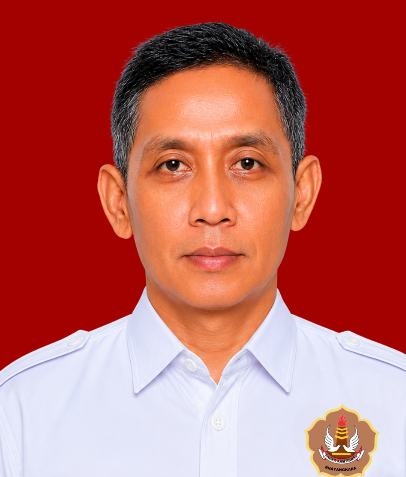
FAJAR BASUKI
Wakil Sekretaris 2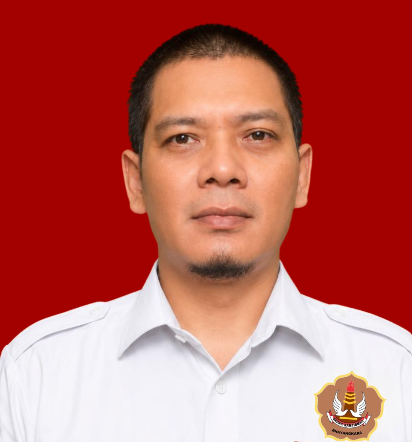
EDI PURNIAWAN
Bendahara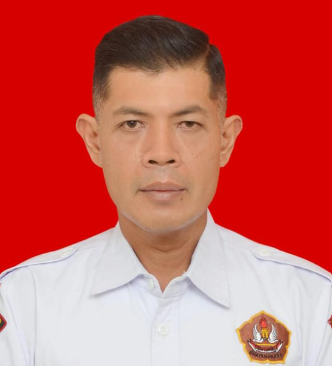
SAMUEL SOTYA ADI NUGROHO
Wakil Bendahara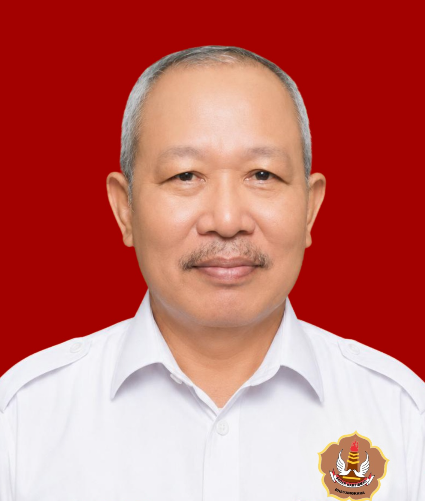
DOGLAS KRISNO
Kabid ORGANISASI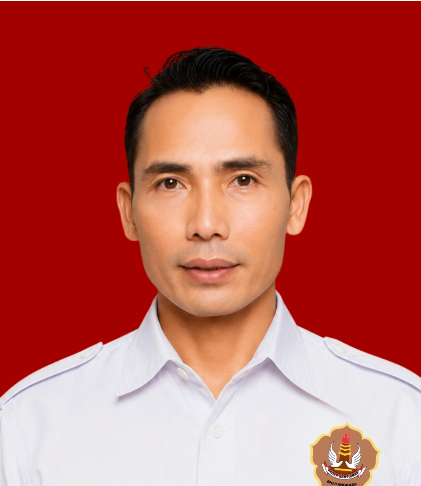
DEDI SUMARNA
Wakil ORGANISASI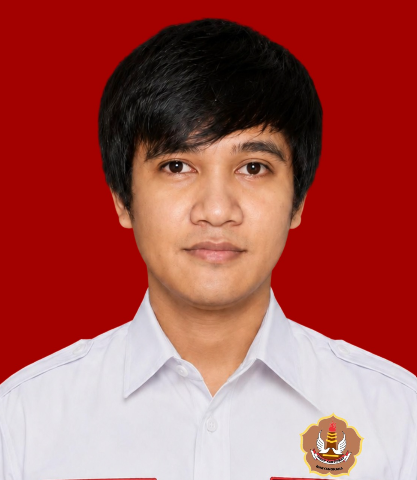
MAHENDRA
Ketua INFRASTRUKTUR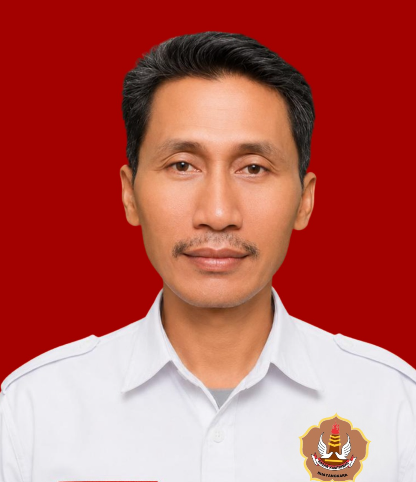
NAJIB
Wakil INFRASTRUKTUR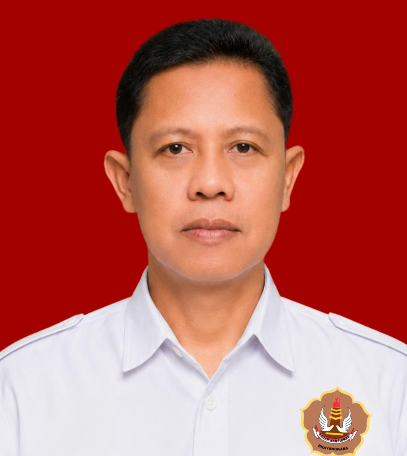
KARYADI
Kabid OPERASIONAL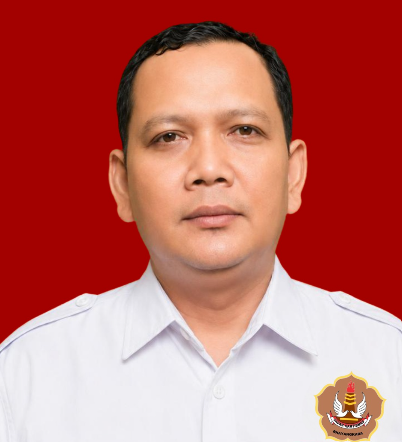
PARTA
Wakabid OPERASIONAL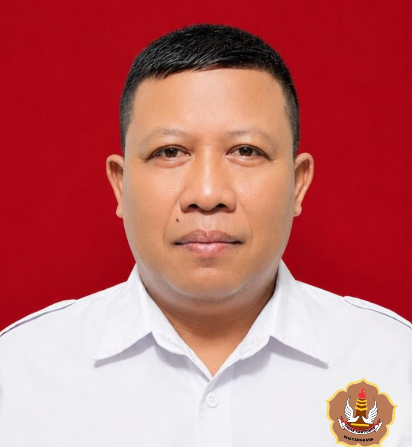
SUNANDAR BUDI
Ketua SATGAS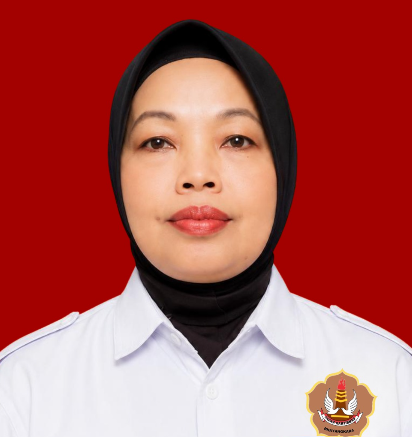
AMINI
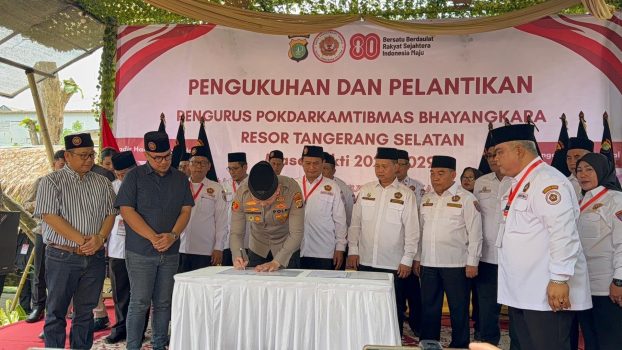
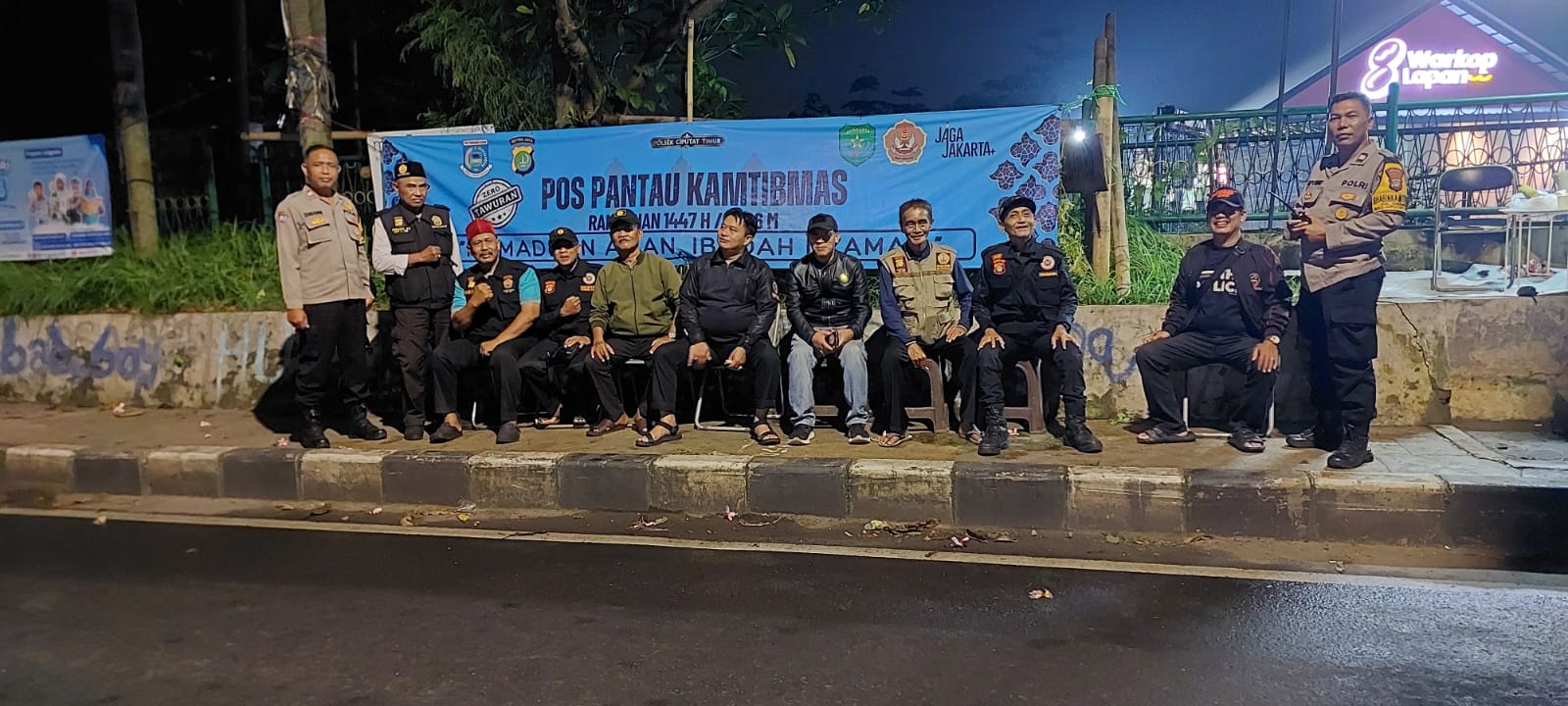
Ketua SRIKANDIAksi nyata mitra Polri dalam menjaga kondusivitas wilayah
Silakan unduh template resmi pendaftaran dan lengkapi data diri Anda. Setelah diisi, serahkan ke sekretariat Pokdar terdekat.
Maksud:
Tujuan:
Kami siap mendengarkan aspirasi dan koordinasi anda.
Mapolres Tangerang Selatan, Jl. Promance, Serpong.
pokdartangerangselatan@gmail.com